Apple Watch Series 9 for Home Gym Fitness: In-Depth Review (2025)
Comprehensive review of Apple Watch Series 9 for home gym fitness tracking. We test workout accuracy, heart rate monitor...
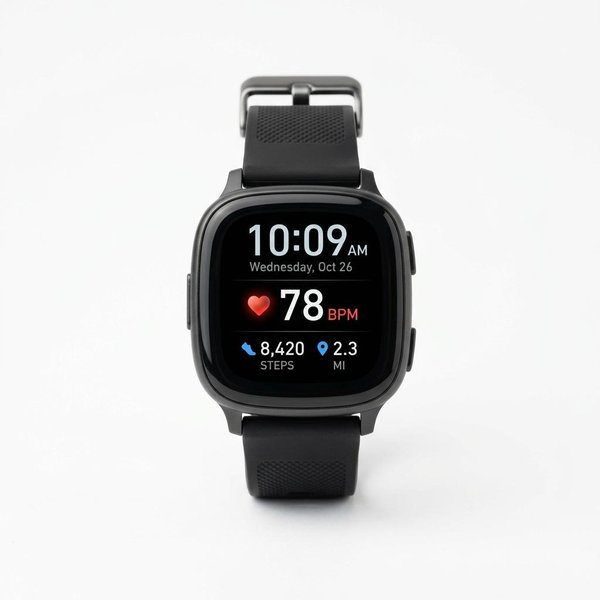
Your fitness tracker collects sensitive health data. Learn what information wearables gather, how it's used and shared, and specific steps to secure your fitness data privacy across major platforms.
Fitness trackers, smartwatches, and health monitoring apps collect some of the most intimate data available about your life: your heart rate, sleep patterns, location history, menstrual cycles, stress levels, and in some cases, blood oxygen and electrocardiogram readings. This data, when aggregated, creates a detailed portrait of your health, habits, and daily routines.
Our analysis of privacy policies, published research on wearable data practices, and regulatory frameworks indicates that most users have limited awareness of what their devices collect, how that data is used, and what control they have over it. This guide provides a transparent overview of fitness data collection, explains the privacy risks, and offers actionable steps to secure your information.
Modern fitness trackers gather data across multiple categories. Understanding the full scope is the first step toward informed privacy choices.
| Data Type | Collection Method | Sensitivity Level |
|---|---|---|
| Heart rate | PPG optical sensor (wrist) | High — indicates cardiovascular health, stress, potential conditions |
| Heart rate variability (HRV) | Derived from heart rate timing | High — indicates autonomic nervous system function, recovery status |
| Blood oxygen (SpO2) | Red/infrared light sensor | High — respiratory and circulatory health indicator |
| ECG/EKG | Electrical sensor (chest strap or watch back) | Very High — cardiac rhythm data; medical-grade information |
| Skin temperature | Thermistor sensor | Moderate — can indicate illness, menstrual cycle phase |
| Respiratory rate | Derived from heart rate and motion | Moderate — respiratory health indicator |
| Data Type | Collection Method | Privacy Implications |
|---|---|---|
| Step count | Accelerometer | Low individually; patterns reveal routines |
| Distance traveled | GPS + accelerometer | High — precise location history |
| Speed and pace | GPS + accelerometer | Moderate — reveals transportation modes |
| Elevation/floors | Barometric altimeter | Low |
| Swimming metrics | Accelerometer + gyroscope | Low |
| Exercise type recognition | Machine learning on motion data | Moderate — reveals activity preferences and schedule |
| Data Type | Collection Method | Sensitivity Level |
|---|---|---|
| Sleep duration | Movement + heart rate | Moderate — reveals schedule and potential health issues |
| Sleep stages (light/deep/REM) | Heart rate variability + movement | High — detailed health and wellness information |
| Sleep score/quality metric | Algorithmic composite | Moderate — derived health assessment |
| Blood oxygen during sleep | Periodic SpO2 sampling | High — sleep apnea screening data |
| Snoring detection | Microphone (some devices) | High — audio recording in bedroom |
| Data Type | Source | Sensitivity Level |
|---|---|---|
| Age, weight, height | User profile entry | Low–Moderate |
| Menstrual cycle tracking | User entry + biometric correlation | Very High — reproductive health data |
| Food and water logging | Manual user entry | Moderate — dietary habits and potential conditions |
| Mood and stress self-reports | Manual user entry | High — mental health indicators |
| GPS location history | Device GPS | Very High — precise movement and location patterns |
| Social connections | Friend features, challenges | Moderate — social graph data |
Fitness companies use collected data for:
Based on our analysis of published privacy policies (as of January 2025), sharing practices vary significantly:
| Platform | Third-Party Data Sharing | User Opt-Out Available |
|---|---|---|
| Apple (Health/Watch) | Minimal; app-dependent | Yes — granular controls per app |
| Garmin | Limited; anonymized for analytics | Partial — some sharing required for service |
| Fitbit (Google) | Integrated with Google services | Partial — Google ecosystem integration |
| Samsung Health | Limited third-party; Samsung ecosystem | Yes — app-level permissions |
| Whoop | Limited; research partnerships | Partial |
| Oura | Anonymized research; limited commercial | Partial |
| Strava | Public by default for activities; significant social data | Yes — privacy zone and activity-level controls |
| MyFitnessPal (Under Armour) | Historical data breaches noted; marketing use | Partial |
Table: Third-party sharing practices based on published privacy policies. Policies change — verify current terms directly with each platform.
Important note: When you connect your fitness tracker to a third-party app (via API or OAuth), you are granting that app access to the data types it requests. Many users authorize these connections without reviewing permissions.
Direct sale of personally identifiable fitness data to third parties is prohibited by the privacy policies of major fitness wearable companies. However, several monetization pathways exist:
Fitness platforms have experienced data breaches. Notable incidents include:
Mitigation: Use unique, strong passwords and enable two-factor authentication on all fitness accounts. Accept that platform security is outside your control.
GPS-enabled fitness tracking creates detailed location history. This data can:
Mitigation: Disable GPS for activities where precise location isn't necessary. Use privacy zones around home and work addresses.
Some employers and insurers offer incentives for fitness tracking. Before enrolling:
Health and fitness data is increasingly subject to legal discovery:
Mitigation: Understand that data stored with U.S.-based companies is subject to lawful access requests. No consumer privacy setting prevents legal subpoena.
Research demonstrates that so-called "anonymized" fitness datasets can often be re-identified by combining them with other data sources. A 2018 study published in Nature demonstrated that GPS traces from fitness trackers could be matched to individuals with high accuracy using minimal auxiliary information.
iPhone users (Apple Health):
Android users:
Strava's default settings expose significant data. If you use Strava:
For activities where route recording isn't important:
Most users have connected apps they no longer use:
Every fitness platform account should have 2FA enabled:
Use an authenticator app (Google Authenticator, Authy) rather than SMS when possible — SMS is vulnerable to SIM-swapping attacks.
Under GDPR (EU), CCPA (California), and similar regulations, you have rights to:
Before requesting deletion: Export your historical data if you want to retain records. Most platforms provide data export in the account settings.
| Alternative | Approach | Tradeoff |
|---|---|---|
| Gadgetbridge (Android) | Open-source fitness tracker companion; no cloud | Limited device support; requires technical setup |
| Open mHealth | Open data standard for health information | Framework, not consumer product |
| Local-only devices | Some GPS watches can operate without app sync | Reduced feature set; manual data management |
| Pen and paper | No digital footprint | No analytics, insights, or trend tracking |
Table: Privacy-focused alternatives to mainstream fitness platforms
U.S. residents have fewer legal protections for fitness data than EU residents. Privacy settings and personal vigilance are your primary defenses.
As an Amazon Associate we earn from qualifying purchases. Product links on this page include our affiliate tag — purchases made through these links support our research at no additional cost to you.
Last updated: January 2025. Privacy policy analysis based on publicly available terms from Apple, Garmin, Fitbit/Google, Samsung, Whoop, Oura, Strava, and MyFitnessPal as of publication date. Privacy policies change — verify current terms directly with each platform. This guide is informational and does not constitute legal advice.